
Blog
KNX Presence Sensors: How They Automatically Detect Whether You’re in a Room

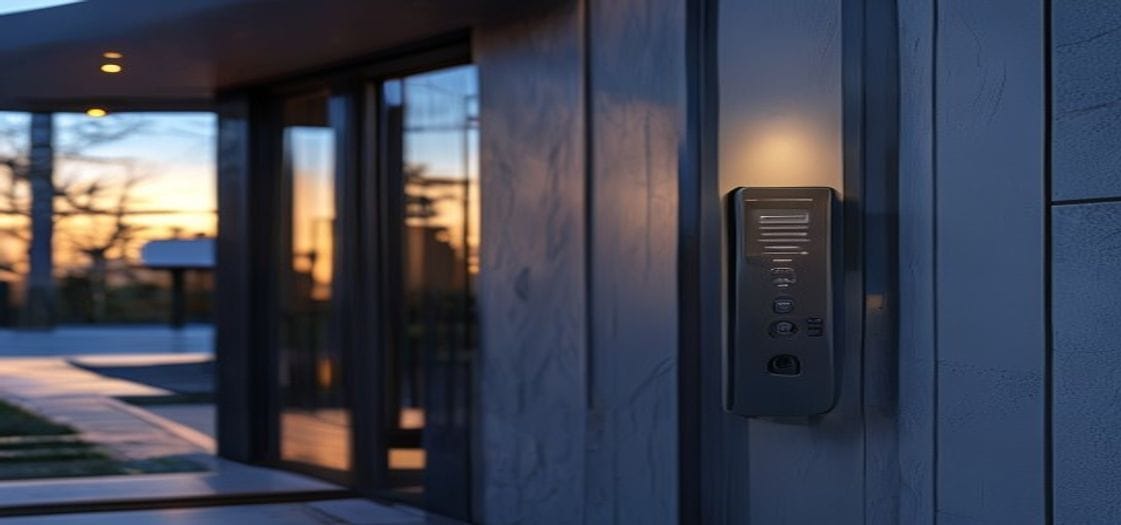
KNX presence sensors are one of the most practical elements of a smart building installation. The concept is straightforward: you walk into a room, the sensor detects you, and the lights come on, the heating adjusts, and the blinds open. When you leave, everything resets after a pre-set timeout — no switches, no forgotten lights.
Think of it as a classic light switch that operates itself. The difference is that a KNX sensor doesn’t just toggle one circuit — it communicates with the entire building installation.
What KNX Presence Sensors Are and How They Work
A KNX presence sensor detects movement and occupancy in a space, then sends commands automatically to other devices via the KNX protocol (ISO 14543). Unlike a basic motion detector that simply switches a light on, a KNX sensor communicates with the full system: lighting, HVAC, blinds, and audio.
The core technology is PIR (Passive Infrared) — the sensor reads the heat signature of a moving body. More advanced models combine PIR with ultrasonic or microwave detection, which picks up subtle movements such as breathing or typing at a desk. This makes them far more reliable in office or study environments where someone may sit still for extended periods.
The sequence is simple: when you enter a room, the sensor detects presence and sends an “ON” command onto the KNX bus — the dedicated twisted-pair cable through which all devices communicate. KNX actuators receive the signal and activate lighting, climate control, or other loads. When the room is empty, after a configurable timeout (typically anywhere from 5 to 30 minutes), the sensor sends an “OFF” command. The whole process is handled locally, with no cloud dependency.
For a broader picture of how presence detection fits into a full smart home, see our overview of KNX integration services.
What Changes in Practice
Rather than moving through a building pressing switches, the building adapts to where you are. Here is what that looks like in day-to-day use:
- Automatic lighting: Lights come on when you enter, switch off when you leave. In a 70 m² apartment with four sensors, energy consumption for lighting typically falls by 30–40%.
- Smarter climate control: The thermostat dials back by 2–3 °C when a room has been empty for more than 30 minutes — meaningful savings in larger properties over a full heating season.
- Contextual scenes: At night, a sensor in the bedroom corridor can activate a dim 10% light level so you don’t disturb a sleeping partner.
- Security mode: When the property is unoccupied, any detected movement can trigger a phone notification or switch all lights on to deter intruders.
Compared with standalone motion detectors, KNX sensors offer far greater granularity. A standard detector can only turn a light on or off. A KNX sensor can adjust light intensity based on time of day, delay HVAC activation until a room has been occupied for at least five minutes, or trigger a “film” scene when presence is detected in the living room on an evening.
What you avoid: lights left on in empty rooms, walking into dark spaces fumbling for a switch, and heating rooms that nobody is using. Most occupants report after the first year that they find it difficult to go back to a conventional setup.
Learn more about how KNX lighting control and KNX HVAC control work together with presence detection.
Technical Guide: Installation and Configuration
From an installation standpoint, KNX presence sensors connect directly to the KNX bus and require no separate power supply — they draw power from the bus cable itself (29 V DC). Mounting options include:
- Ceiling-mounted (most common): 360° detection angle, coverage radius of 6–8 m for standard rooms
- Wall-mounted: 120° angle, well suited to corridors and entrances, range up to 10–12 m
- Corner-mounted: 90° angle, for targeted coverage of a specific zone
Configuration is carried out in ETS6 (Engineering Tool Software), where the following parameters are set per sensor:
- Switch-off timeout (5 seconds to 4 hours)
- Detection sensitivity (levels 1–7, to reduce false triggers)
- Separate behaviour for day and night modes
- Switch-on delay to prevent flickering
- Group addresses for communication with specific actuators
For architects and designers: sensors must be positioned to avoid false triggers from direct sunlight through glazing, warm air from radiators, or moving plants. A practical rule of thumb is one sensor per 25–30 m² in open-plan spaces, and one per distinct zone in residential layouts (bedroom, bathroom, dressing room).
Sensor costs vary depending on capability — PIR-only models sit at the lower end, while dual PIR/ultrasonic units with integrated daylight sensors are priced higher. For a three-bedroom apartment, the total hardware investment for presence detection is typically in the range of €150–€300, with the energy savings paying back the investment within 18–24 months. Our KNX design and ETS programming service covers sensor placement, group address design and full commissioning.
Open Standard and Long-Term Compatibility
KNX presence sensors comply with ISO 14543, which guarantees interoperability across the 500+ manufacturers in the KNX Association ecosystem. An MDT sensor will work seamlessly with Jung actuators, Gira thermostats, or Berker panels — the system is genuinely open.
The KNX protocol has been in active use for over 30 years in both residential and commercial buildings, with millions of installations worldwide. Because everything runs locally on the bus, presence detection continues to function normally even if the internet connection is down — a meaningful advantage over Wi-Fi-based alternatives.
When evaluating KNX against other platforms, it is worth weighing the long-term stability, manufacturer-independent spare parts, and 15–20 year system lifespan against the lower upfront cost of proprietary wireless solutions. Our KNX vs Tuya vs Loxone comparison covers this in detail.
What happens if a presence sensor fails?
A faulty sensor can be replaced without reprogramming the rest of the installation. The KNX group address remains unchanged, and the replacement unit picks up the same functions immediately. Manual override via wall switches remains available at all times — sensors add convenience, they do not create a dependency. Faults can be diagnosed quickly using ETS diagnostics tools.
Will a KNX sensor turn the lights off while I’m sitting still at my desk?
Standard PIR sensors can lose track of a stationary person after 10–15 minutes. The solution is a dual PIR/ultrasonic or microwave sensor, which detects fine movements including breathing. Alternatively, for desk-based work, setting the timeout to 45–60 minutes is a simple workaround that most integrators recommend as a default for home office spaces.
Can presence sensors be retrofitted into an existing building?
Yes. The KNX bus cable is routed to the sensor positions — typically through a roof void, raised floor, or existing conduit — and connected to the bus. Full wall demolition is rarely necessary; only targeted penetrations for cable routing are needed. Expect retrofit costs to run approximately 20–30% higher than new-build installation, reflecting the additional cabling labour.
If you are planning a presence detection installation — whether for a new home, a renovation, or a commercial fit-out — we are happy to review your floor plan, recommend sensor positions, and provide a clear cost estimate. Request a free consultation and we will come back to you with a practical proposal tailored to your project.