
Blog
KNX Smart Homes for Seniors: Comfort and Safety Without the Complexity

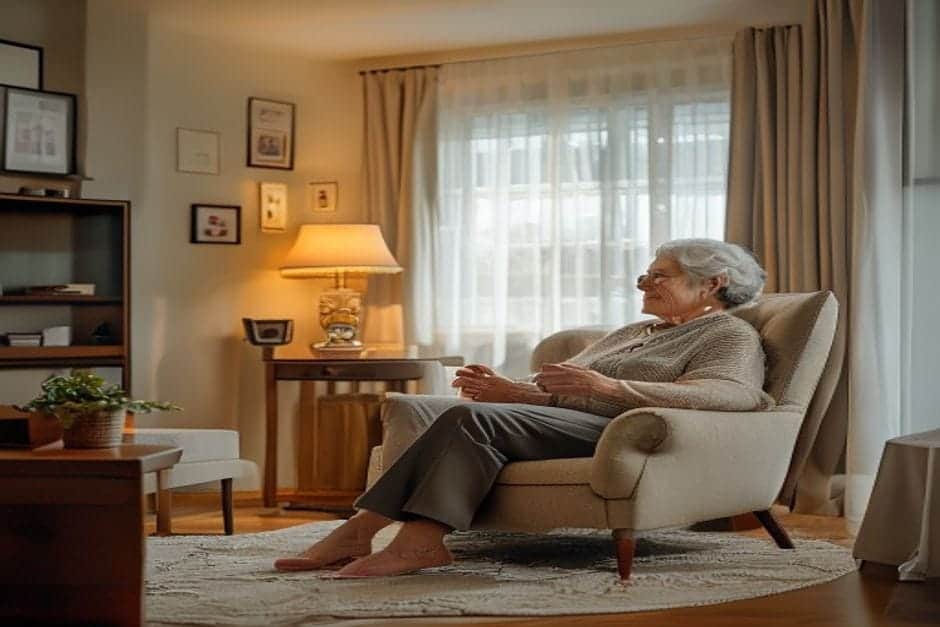
A KNX smart home designed for an elderly resident looks nothing like a tech showroom. It looks like an ordinary flat — except it quietly handles the things that worry families most: lights left on, doors left open, and the hob forgotten after breakfast. This article walks through a real project for a 78-year-old living alone, what we installed, and what the results were after a year.
The Challenge: Safety and Independence for Older Residents
KNX is the open international standard for building automation, recognised in over 190 countries. It runs on its own dedicated bus, not on Wi-Fi, which makes it well suited to environments where reliability matters more than novelty.
The family who contacted us had a clear problem. Their father — 78, living alone in a three-bedroom flat — was managing fine day to day, but a handful of recurring situations were causing real anxiety:
- He frequently forgot to turn off lights or close doors before going to bed
- He got up in the night without switching a light on — a genuine fall risk
- On a few occasions he had left the electric hob on for hours without noticing
- The family had no way to check whether everything was fine without calling and disturbing him
- The air conditioning and thermostat controls were too fiddly for him to bother with
“We don’t want to move him out of his home, but we can’t keep worrying something will happen,” his daughter told us. Standard solutions — CCTV cameras, alarm systems — felt either too invasive or too complicated. What they needed was something that worked in the background, not something that put new demands on him.
The KNX Solution We Designed
Our guiding principle was straightforward: the system should be intelligent — not the user. The resident should not need to learn anything new. We designed the KNX installation for this apartment around his existing habits, adding automation that intervenes quietly rather than asking for input.
Before: He had to press six separate switches to set up his evening lighting, adjust the thermostat manually, and remember to check every door before bed.
After KNX installation: A single “Evening” button dims the necessary lights to a comfortable level, sets the temperature to 22°C, and activates door monitoring. At 23:00 the system shifts automatically into “Night” mode — main lights off, soft safety night-lights on in the hallway and bathroom.
The key components installed:
- Motion sensors with timers: automatic, glare-free lighting in the bathroom and hallway at night — no switches needed
- Door and window contact sensors: a discreet notification to the family if a door has been left open for more than 30 minutes
- Large-format touch panels: simple buttons, large text, no more than four functions visible per screen
- Pre-programmed scenes: “Morning”, “Evening”, “Leaving”, “Emergency” — one button for each
- Appliance monitoring: alert triggered if the electric hob remains active for more than two hours
The touch panels were configured with an extra-simple interface — large icons, readable text, only essential functions shown. Everything else was handled automatically in the background via ETS programming.
Results After the First Year
After twelve months of operation, the results were measurable:
- Zero safety incidents: the system intervened on 23 occasions when the hob had been left on beyond the normal usage window
- 31% reduction in electricity consumption: from automatic light-off routines and smarter temperature management
- 86% fewer false alerts: the family received notifications only when something genuinely needed attention
- Greater independence: he felt more confident at home; the family’s anxiety dropped noticeably
“I don’t check five times whether I’ve turned the lights off before I go to sleep. The system does it for me,” he told us. His daughter added: “I get a notification if Dad hasn’t moved around the flat by 9 in the morning. It’s discreet, but it’s reassuring.”
Most importantly, after a full year he uses the system every day without asking for help. “It’s like a normal switch — it just helps me not forget things,” he said at a routine maintenance visit.
Four Lessons From This Project
This project shows that KNX can serve the specific needs of older residents well, provided it is designed with the right priorities:
- Simplicity over feature count: five functions used every day beats fifty options nobody touches. This installation had twelve buttons in total, each with a single clear purpose.
- Predictive automation: the system learns the resident’s routine and acts preventively — switching off the hob, turning on night lights, adjusting temperature without prompting.
- Discreet monitoring: the family receives meaningful information about general wellbeing without it feeling like surveillance. Privacy is preserved.
- Mechanical fallback: every KNX function retains a conventional backup. If the system goes offline, standard switches continue to work normally.
The investment pays back not only through energy savings but through extended independence and reduced family worry. A KNX system for a flat of around 70 m² typically starts from €3,500 — comparable to two years of part-time home care visits, and a permanent fixture rather than a recurring cost.
Does KNX Work if the Internet Goes Down?
Yes — and for seniors this is a significant advantage. KNX operates on its own dedicated bus, completely independent of the internet. If the Wi-Fi drops or the broadband connection fails, switches and sensors continue to function normally via backup power. Remote monitoring pauses temporarily, but the resident is never left without lighting or heating.
What Happens if the Resident Presses the Wrong Button?
Touch panels configured for elderly users show a clear visual confirmation for three seconds before any action completes — for example: “Turning off all lights.” A prominent red “Cancel” button reverts immediately to the previous state. Scenes are also designed so that no accidental press can create a dangerous or irreversible situation.
How Often Does a Senior’s KNX System Need Maintenance?
We recommend a professional check every six months for systems used by elderly residents — slightly more frequently than for other households, because we also review safety and wellbeing parameters. Our KNX maintenance plans for senior environments include scene updates as daily routines change over time. A typical visit for a flat takes around 30 minutes and is scheduled at a convenient time.
For more background on how KNX works as a technology, see our KNX FAQ.
If you are thinking about how a KNX system could support an elderly relative’s independence — or make your own home more manageable as life changes — we are happy to talk through the options with no obligation. Contact us for a free consultation and we will put together a proposal tailored to the specific situation.