
Blog
KNX Office Automation: Smart Control Without Rewiring

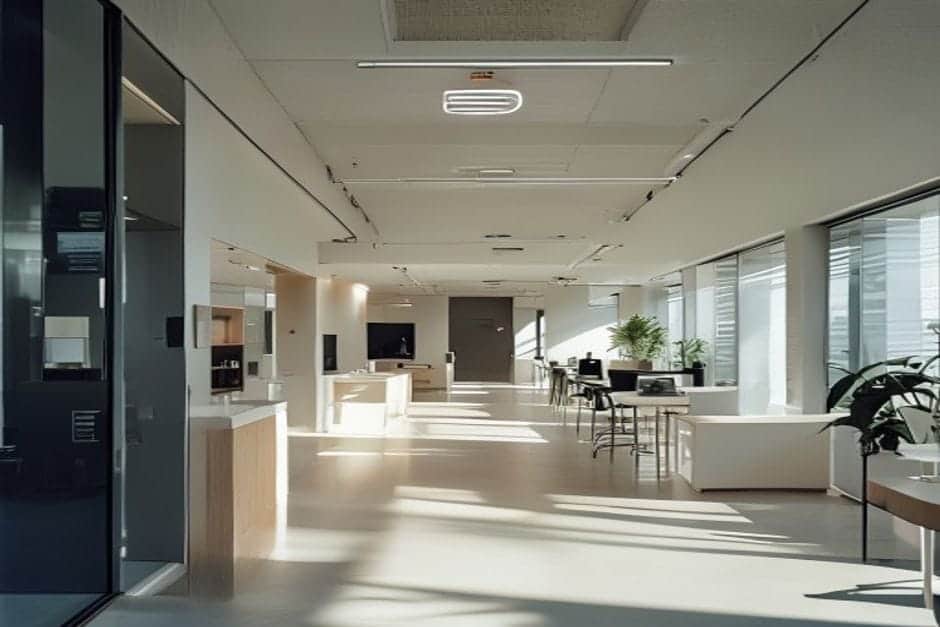
The Problem in a 200 m² Open-Plan Office
Does this sound familiar? Lights burning all night in an empty office, no way to dim just one corner, and an energy bill that keeps climbing. That was the exact situation for a software company operating a 200 m² open-plan workspace. The specific issues were costing them real money every month:
- Flat, always-on lighting: 40 LED fixtures running simultaneously regardless of how much daylight was coming through the windows.
- Clumsy manual control: Eight conventional switches on the walls, each covering a large zone — no fine adjustments possible.
- High energy spend: The monthly lighting bill was running at roughly €380 for a 35-person team.
- Comfort complaints: Areas near windows were over-lit on bright days and dim zones appeared whenever the sky clouded over.
The legacy system was binary — everything on or everything off. There was no middle ground and no intelligence to respond to changing conditions.
The KNX Solution: Intelligence Layered Over Existing Wiring
The core idea behind KNX for offices and commercial buildings is that you add intelligence to what is already there. You do not rip out and replace the electrical installation — you work with it.
What was installed over three days:
- 12 MDT KNX actuators fitted inside the existing distribution board to control the 40 LED fixtures across independent zones.
- 15 KNX presence detectors mounted in the suspended ceiling — roughly one detector per four or five desks.
- 6 KNX daylight sensors positioned near the large windows to measure available natural light continuously.
- 4 KNX touch panels replacing the old wall switches, giving staff manual override control per zone.
- KNX bus cable routed through existing cable trunking — no walls broken open.
A practical installation principle worth noting: all actuators were centralised inside the distribution board rather than distributed throughout the ceiling. When a fault needs diagnosing, having every relay in one accessible location saves significant time. This is a standard approach in well-designed KNX design and ETS programming projects.
Time-based and condition-based scenes programmed into the system:
- Morning (07:00–10:00): Workstations at 80%, corridors at 60%.
- Core hours (10:00–17:00): Automatic daylight compensation, output ranging between 40% and 100% depending on conditions.
- Evening (17:00–20:00): Full 100% output to compensate for fading natural light.
- Standby (20:00–07:00): Corridors at 20% for security, all other areas off.
- Weekends: System fully off by default, lights activate only on detected presence.
The shift from the previous setup was significant. Instead of one on/off decision for the whole floor, the system now manages 12 independent zones — each responding automatically to occupancy and daylight in real time.
Measured Results After Twelve Months
The figures recorded after the first full year of operation were clear:
Energy savings:
- Monthly lighting bill dropped from €380 to approximately €230 — a 39% reduction.
- Overall lighting energy consumption down 45%, driven by the combined presence and daylight sensing.
- Average daily operating time fell from 12 hours to 7.2 hours.
Comfort and productivity improvements:
- Zero staff complaints about uneven lighting or glare — down from a recurring issue.
- Meeting areas automatically shift to 80% intensity, a level found comfortable for video calls.
- Corridors no longer run overnight — zero operating hours without occupancy.
- The system responds to changing conditions within 2–3 seconds, compared with waiting for someone to walk to a switch.
The office manager’s assessment: “The best infrastructure investment we’ve made in five years. Nobody makes decisions about the lights any more — the system handles it. Staff have stopped touching switches entirely.”
Worth highlighting on reliability: the company had previously trialled Wi-Fi-based smart lighting, which dropped connection two or three times a month and whose mobile app was too slow for practical daily use. The KNX installation had zero unplanned outages in twelve months. KNX operates independently of the internet — the bus keeps working whether the router is up or not.
Key Lessons From This Project
If you are considering KNX office automation for your own workspace, these are the practical takeaways from the project above.
1. Zone by function, not by floor area
Rather than treating 200 m² as a single lighting zone, divide the space into 8–12 logical zones: individual desk clusters, meeting areas, corridors, kitchen. Each zone can have its own scene and respond independently to occupancy.
2. Presence sensing alone is good; presence plus daylight sensing is better
A presence detector on its own typically saves 20–30% on lighting energy. Adding daylight compensation pushes that to 40–45%, because the system learns to use free natural light rather than supplementing it unnecessarily.
3. Install in phases without disrupting the business
The installation here was carried out over evenings and weekends. The existing switches remained fully operational throughout testing. Staff experienced zero downtime — the old system stayed live until the new one was signed off.
4. Calculate ROI honestly
Total project cost — equipment, installation and commissioning — came to approximately €8,400. Annual energy saving: around €1,800. That gives a straightforward payback period of under three years on energy alone, before accounting for any productivity gains or reduced maintenance on lighting infrastructure.
Frequently Asked Questions
What happens if the KNX system fails during office hours?
KNX has two layers of fallback. If the bus itself is interrupted, each actuator reverts to manual operation via the physical switches, which remain wired and functional. If a single actuator fails, only its zone is affected — the other eleven continue operating normally. In this particular installation, no fault caused any lighting outage during the first year.
Can zones be changed or new functions added later?
Yes. Changes are made through ETS software reprogramming — no physical work required. If the company expands, reorganises its layout or wants to add occupancy-triggered HVAC control, the system accommodates it. KNX is built to evolve, not to be replaced every time requirements change.
Are we tied to one supplier for ongoing maintenance?
No. KNX is an open international standard (ISO 14543). Any KNX-certified engineer can take over a project using the existing ETS documentation. Equipment from MDT, Jung, Gira, Schneider and other certified manufacturers is fully interoperable. Changing your maintenance provider does not mean starting from scratch.
Ready to Assess Your Office?
Every office is different — floor area, ceiling type, working hours and energy tariffs all affect how a KNX system should be designed. If you would like an honest assessment of what is achievable in your space, including indicative costs and a realistic payback estimate, send us your project details and we will come back to you. No obligation, no pressure — just a straightforward technical conversation.