
Blog
KNX Thermostats for Offices: How to Choose the Right One for Your Space

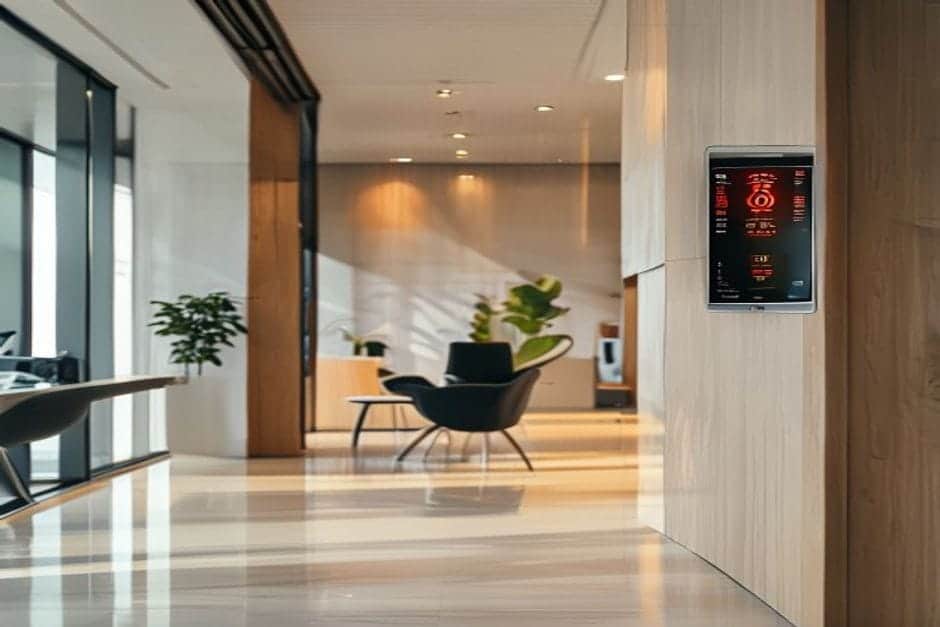
KNX thermostats change the way you manage temperature in a commercial space — without turning your existing electrical installation upside down. Choosing the right one comes down to three factors: the size of your space, the number of climate zones, and the type of heating or cooling system already in place.
What Is a KNX Thermostat and How Does It Work in an Office?
A KNX thermostat looks much like a standard wall thermostat. The difference is that it communicates with every other device in the building over a dedicated KNX bus — a two-wire cable through which all smart devices exchange data. Rather than directly switching a valve or fan coil unit, it sends commands to a KNX actuator, which carries out the actual switching.
Compared to a Wi-Fi thermostat, the key distinction is independence from the internet. The KNX bus is wired and operates locally. If the office broadband goes down — common in high-traffic commercial buildings — the climate control keeps working without interruption.
Installation is straightforward: the thermostat mounts on the wall at the standard 1.5 m height, connected to the KNX protocol (ISO 14543) via two additional wires alongside the normal supply.
KNX vs Conventional Thermostats: What Changes and What Stays the Same
What stays the same: wall position, appearance (glass panel with touch controls), and the basic function of regulating temperature. Staff don’t need to learn anything new — the + and − buttons work exactly as before.
What changes completely: centralised control and automatic scheduling. In a 200 m² office with conventional thermostats, each room operates independently. With KNX thermostats, everything connects to one system. You can programme:
- Time-based setpoints: 22 °C during working hours (08:00–18:00), 18 °C overnight and at weekends
- Zone control: conference room at 24 °C only when occupied, open-plan area at a steady 22 °C
- Presence integration: when the last person leaves, all thermostats automatically switch to economy mode
- Centralised monitoring: temperatures across every room visible in a single app
A practical example: a 150 m² office with six rooms and conventional thermostats can see heating consumption drop by around 20–25% simply by switching to KNX with automatic scheduling. The savings come from eliminating heating and cooling outside occupied hours, not from any special hardware magic.
Another scenario: adding a thermostat to a new meeting room in a 300 m² commercial space normally means running new cable back to the plant room. With KNX for offices, you connect the new thermostat to the existing bus — roughly two hours of work instead of a full day.
How to Choose the Right KNX Thermostats for Your Office
Selection comes down to three main criteria: the type of HVAC system, the number of zones, and budget. Here’s how each stakeholder should think about it.
For Commercial Property Owners
What you gain: full temperature control across all rooms from your phone, typical energy savings of 20–30%, and no more relying on staff to turn off the air conditioning. You can also identify which rooms are overheating or losing heat due to poor insulation.
What you avoid: costly rewiring for new thermostats (KNX devices connect to the existing bus), internet dependency (the system works locally), and vendor lock-in (KNX is an open standard — thermostats and actuators from different manufacturers work together without compatibility issues).
For Architects and Commercial Interior Designers
Integration into a project drawing is identical to conventional thermostats: wall position at 1.5 m, 230 V supply plus KNX bus. The difference is that you draw a single bus loop for the entire floor rather than individual cable runs to each thermostat.
The bigger advantage is flexibility for future changes. If your client reorganises the office layout, thermostats can be reprogrammed without touching the wiring. That saves significant design and site time when alterations come up — and they always do.
Our KNX design and ETS programming service can support your project from schematic stage through to commissioning documentation.
For Electrical Contractors Installing the System
The physical installation is simpler than most contractors expect: KNX thermostats connect just like conventional ones (230 V live, neutral, earth) plus two additional wires for the KNX bus. No specialist KNX training is required for mounting — only for programming.
Fault-finding is also more straightforward. If a thermostat stops responding, you check the bus connection with a standard multimeter. The system itself shows on the application exactly which device has an issue.
The Installation Process: What to Expect
A typical KNX thermostat project for an office follows four clear steps:
- Technical consultation: review of the floor plan, calculation of thermostat count and zone layout
- Detailed proposal: equipment list, installation costs and timeline
- Installation and programming: mounting and KNX commissioning, including scene configuration (typically 1–2 days for a 200 m² office)
- User handover: walkthrough of the app and guidance on adjusting setpoints and schedules
From initial consultation to a working system: 7–10 working days for a standard office. Equipment typically carries a two-year warranty; programming and configuration one year.
For a rough budget reference: a 100 m² office with four climate zones typically requires an investment in the range of €450–€650 for KNX thermostats with full installation and programming, depending on equipment brand and complexity. For a detailed breakdown, see our KNX FAQ.
Why KNX Rather Than Wi-Fi or Zigbee Thermostats?
International standardisation: KNX is the only smart building standard ratified as ISO 14543, backed by more than 500 manufacturers across 40 countries. You can combine thermostats from Jung with actuators from MDT or Schneider Electric without any compatibility concerns.
Long-term reliability: KNX systems typically run for 15–20 years without hardware upgrades. Wi-Fi thermostats, by contrast, tend to become obsolete in three to five years when the manufacturer ends app support — leaving you with devices that still work physically but have no software maintenance.
Fully offline operation: KNX thermostats function without any internet connection. This is particularly valuable in commercial spaces with unstable networks or strict IT security policies.
Owner satisfaction data from installed projects consistently shows higher long-term contentment with KNX than with consumer Wi-Fi systems, where the most common complaints are lost connectivity and apps that stop functioning after a software update.
That said, KNX is a larger upfront investment than a Wi-Fi alternative. It makes most sense for offices with five or more zones, spaces where reliability is critical, and buildings expected to remain in use for ten years or more. For a direct comparison of technologies, see our KNX vs Tuya vs Loxone guide.
Frequently Asked Questions
How much more do KNX thermostats cost compared to conventional ones?
A KNX room thermostat typically costs €60–€110 per unit, compared to €15–€25 for a basic conventional model. However, the bus wiring is shared across all devices, so you save on cable runs. For an office with five or more thermostats, the total installed cost is often comparable — with substantially greater functionality.
What happens if a KNX thermostat fails?
You replace it exactly as you would a conventional thermostat — remove it from the wall, connect the new one. The programming is stored on the KNX bus and transfers automatically; you do not lose your settings. Typical replacement time: 15 minutes for the swap, 10 minutes for verification.
Can I control KNX thermostats remotely when I’m out of the office?
Yes, via a KNX IP gateway that bridges the local bus to the internet. You can view temperatures in every room and adjust setpoints remotely. This is an optional add-on — the system operates fully without it. You simply lose remote access if you choose not to include a gateway, or if the internet connection is unavailable.
Ready to Specify KNX Thermostats for Your Office?
Whether you’re a property owner looking to cut energy costs, an architect specifying a commercial fit-out, or a contractor planning the installation, the right starting point is a clear technical brief. Send us your floor plan and requirements and we’ll come back to you with a specific recommendation — equipment, zoning strategy and a cost estimate — within one working day.