
Blog
KNX Touch Panel: A Light Switch Reinvented

What Is a KNX Touch Panel and How Does It Work?
KNX is the open international standard for building automation, recognised in over 190 countries. A KNX touch panel — sometimes called a KNX display interface or wall-mounted touchscreen — is the device through which you interact with your building’s automation system. Think of it as a small smart tablet embedded in the wall: you tap the screen, and the building responds.
Unlike a conventional switch that controls a single light circuit, a KNX touch panel can command every KNX-connected system in the building: lighting, heating and climate, blinds, audio, and even security. The command travels over the KNX bus — a dedicated two-wire cable that links all devices — to the relevant actuator, which carries out the action.
A practical example: you tap “Bedroom — Lights On” on the panel. The signal travels across the KNX bus to the lighting actuator in that room, which switches the circuit on. Simple, fast, and completely independent of your internet connection.
How KNX Touch Panels Differ from Conventional Switches
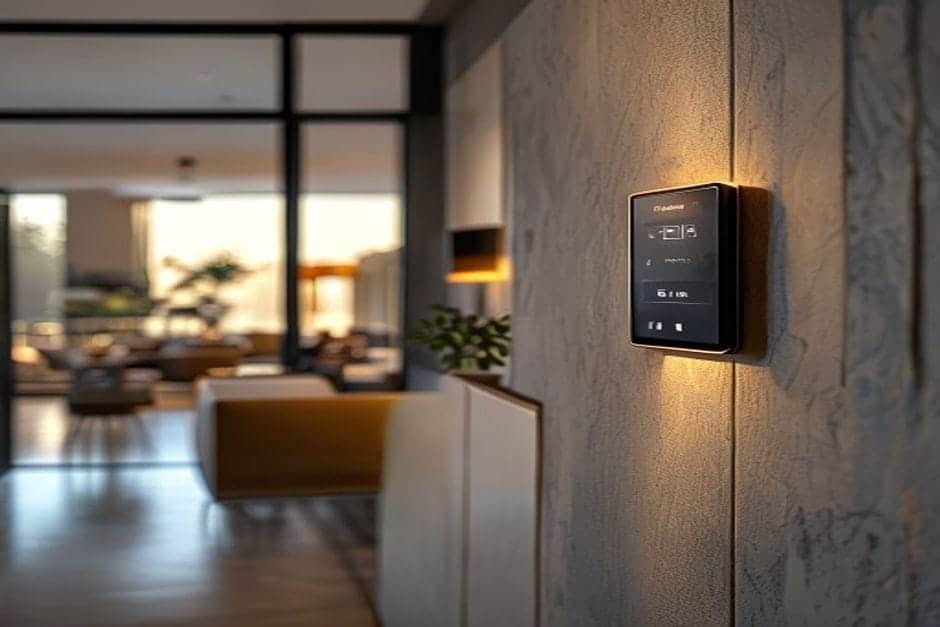
Physically, a KNX touch panel looks like a compact tablet flush-mounted in the wall — typically with a black or white toughened-glass face and no mechanical buttons. What changes functionally is significant:
- Centralised control: instead of eight separate switches for one room, a single panel manages all the lights, the thermostat, and the blinds together.
- Real-time information: the panel displays live data — exact room temperature (22.5 °C), blind position (60% closed), current energy consumption — so you always know the state of the building.
- Scenes: one tap on “Leave Home” switches off every light, lowers the heating setpoint, and arms the alarm — no walking from room to room.
- Schedules: the panel can display and trigger time-based programmes — a “Morning” scene raises the blinds gradually and adjusts the thermostat from 7:00 am.
A concrete comparison: a three-bedroom apartment with a conventional installation might need 15–20 switches. With KNX touch panels, two or three units positioned strategically cover the entire flat. What stays the same: the panel mounts in a standard wall backbox, just like an ordinary switch — no structural changes required.
Who Benefits from a KNX Touch Panel?
Homeowners
If you want to control multiple systems without walking through every room, a KNX panel simplifies daily life considerably. A single “Leaving” command prepares the whole house. Crucially, the panel works without Wi-Fi — it talks directly over the KNX bus, not through a router — so you are never dependent on a broadband connection for basic control. This makes it a good fit for both apartments and larger homes and villas.
Architects and Interior Designers
Panels integrate cleanly into interior design schemes. A wall that would otherwise carry six or eight mixed switches is reduced to one or two slim glass surfaces. Premium manufacturers such as Jung, Gira, and Schneider offer panels with stainless steel frames, coloured glass, and custom engraving — suited to any architectural style.
Electrical Contractors
Installation follows the same process as a conventional switch: mount into a standard backbox, connect the 230 V supply, and add the KNX bus cable (two wires). No specialist tools are needed beyond standard electrical training and a basic understanding of the KNX bus topology. Commissioning and ETS programming is a separate step carried out by a certified KNX integrator.
What Does a KNX Touch Panel Cost?
Pricing depends on the brand and specification:
- Entry-level panels (4–6 functions, monochrome display): approximately €200–€400 per unit.
- Mid-range panels (colour display, scene control, room thermostat): approximately €400–€800.
- Premium panels (large colour touchscreen, visualisation, multi-room logic): €800–€1,200 and above.
Compared with conventional switches at €15–€20 each, the per-unit cost is higher — but two KNX panels can replace 15–20 switches while adding functionality those switches could never provide. For a full picture of system-level investment, see our guide to KNX design and ETS programming.
Common Questions
Does a KNX touch panel work without internet?
Yes, fully. The panel communicates over the KNX bus, not over Wi-Fi. Even if your broadband goes down, you retain complete local control of lighting, blinds, and heating. Remote access from a smartphone app does require an internet connection, but the wall panel is always operational. More technical detail is available on our KNX FAQ page.
How reliable are KNX touch panels?
KNX panels are rated for intensive use — the glass face is toughened, the electronics are protected against voltage surges, and the bus communication protocol is inherently redundant. Observed failure rates are below 2% per year, comparable to or better than mechanical switch gear. If a panel does need replacing, it can be swapped without reprogramming the rest of the system, because all logic sits in the KNX bus devices, not in the panel itself.
How long does installation take?
A typical project runs roughly as follows:
- Consultation and layout: agree panel positions and functions — 1 to 2 days.
- Design and ordering: ETS programming and equipment procurement — 7 to 10 days.
- Physical installation: mounting and wiring for a standard apartment — 1 to 2 days.
- Commissioning and handover: scene setup and user walkthrough — 1 day.
Total from first consultation to a working system: typically 2–3 weeks. Panels conform to ISO 14543-3, are compatible with products from over 500 certified manufacturers, and use an open protocol — no vendor lock-in.
Thinking about KNX touch panels for your home, apartment, or commercial project? Request a free consultation and we will assess your requirements, recommend the right panel specification, and provide a clear cost and timeline estimate — no obligation.