
Blog
KNX vs Wi-Fi: What Really Changes in Your Home

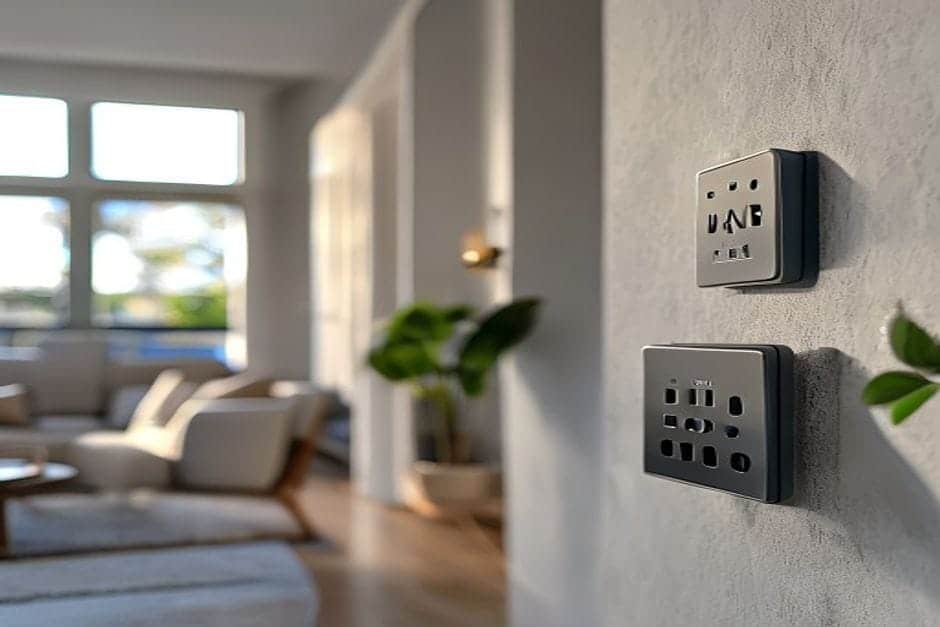
If you’ve been comparing KNX vs Wi-Fi for a home automation project, the core difference is straightforward: KNX uses a dedicated bus cable — a separate wiring layer just for automation — while Wi-Fi devices share the same wireless network as your phones, laptops and streaming devices.
Have you ever found your smart lights unresponsive because the router rebooted, or noticed everything lagging when several people are streaming at once? Those problems don’t occur with KNX, because the system operates completely independently of your internet connection.
How KNX and Wi-Fi Actually Work
KNX is an open, internationally standardised protocol (ISO 14543) used in building automation across more than 190 countries. Every KNX device has a unique address on the bus and communicates directly with other devices — no router involved, no cloud dependency. A KNX switch can command a lighting actuator directly, without any packet ever touching your home network.
Wi-Fi smart devices share your existing wireless network. That’s convenient at the start, but it means your automation competes for bandwidth with everything else on the network.
Think of it this way: KNX is a dedicated lane reserved exclusively for building control. Wi-Fi is a public road that everyone uses. The dedicated lane stays clear regardless of traffic; the public road doesn’t.
For a broader look at how KNX compares to other protocols, see our guide on KNX vs Tuya vs Loxone.
Real-World Differences Between KNX and Wi-Fi
When the internet goes down
KNX keeps working normally — lights, blinds, heating and cooling all respond as usual. Most Wi-Fi smart systems stop responding until the connection is restored, because they rely on cloud servers to process commands.
Response speed
KNX reacts in under 100 milliseconds, because devices talk directly to each other on the bus. Wi-Fi systems can introduce delays of one to three seconds, particularly when the network is busy. You notice this most when you want to switch off all lights quickly as you leave the house.
Number of devices
A single KNX installation can handle up to 58,000 devices on one bus. A typical home router starts struggling after 20–30 simultaneously connected devices. In a larger property with 50 or more control points, KNX performs identically to how it would in a small flat.
Energy consumption per device
KNX devices draw roughly 2–5 W continuously, powered directly from the bus. Wi-Fi devices typically consume 8–15 W each, because the wireless radio must maintain a constant connection to the router.
What stays the same
Both systems let you control lighting, temperature and blinds. The difference is in how they do it — KNX through a dedicated bus, Wi-Fi through your existing network — and how reliably they do it over years of daily use.
Technical Differences for Architects and Contractors
If you’re specifying or installing a system, these are the practical distinctions that matter on site:
- Infrastructure: KNX requires a dedicated bus cable run in parallel with power circuits. Wi-Fi uses existing network infrastructure, but every device still needs a mains power feed.
- Programming: KNX is configured once using ETS software, and the logic lives on the bus — not in the cloud. Wi-Fi systems typically require separate apps per brand and individual device setup.
- Diagnostics: KNX allows centralised fault-finding via the bus — you can see immediately which device has an issue. Wi-Fi requires checking each device individually.
- Scalability: Adding devices to KNX means putting them on the existing bus and assigning addresses. Expanding Wi-Fi coverage usually means adding access points, mesh nodes or repeaters.
One practical installation note: KNX actuators can be mounted directly in the back-box behind a switch, rather than only in the distribution board. This reduces cable runs and makes fault-finding more intuitive — if a bedroom light misbehaves, you know exactly where to look.
Our KNX commissioning service covers full ETS programming, bus testing and documentation as standard.
When Does Wi-Fi Make More Sense?
Wi-Fi smart devices have genuine advantages in the right context:
- Lower upfront cost: A Wi-Fi smart bulb costs €10–20; a KNX lighting actuator starts at around €80–150. The gap widens at scale.
- Fast installation: Replace a bulb, configure it in an app, done. KNX requires dedicated cabling and professional programming.
- Rented properties: Wi-Fi devices go with you when you move. KNX is permanently installed infrastructure.
- Brand variety: You can mix devices from different manufacturers freely. KNX devices must carry KNX certification, though over 500 manufacturers across 45 countries produce them.
Wi-Fi is a reasonable choice for rented flats, for testing automation concepts before committing to a full installation, or for adding a single smart device to an otherwise conventional setup.
Why KNX Has Outlasted Every Wi-Fi Ecosystem
KNX has been in continuous production since 1990 and carries ISO 14543 standardisation. The open standard means a KNX device from one manufacturer works alongside devices from any other certified manufacturer — you’re never locked into a single brand’s ecosystem or cloud platform.
Wi-Fi smart home ecosystems, by contrast, tend to be proprietary. If you build around one brand’s hub and that hub is discontinued, the whole system needs rethinking. KNX installations from ten or fifteen years ago still run without modification today.
In practice, well-commissioned KNX systems require very little intervention after the first year of use. Wi-Fi-based setups typically need attention every six to twelve months — router resets, firmware updates, re-pairing devices after network changes.
Common Questions
What happens if one KNX device fails?
The rest of the system carries on working normally. You replace the faulty component, reassign its address in ETS, and you’re done. With Wi-Fi, a failed central hub or router brings down everything connected to it. For more scenarios, our KNX FAQ covers typical fault conditions in detail.
Am I locked into one supplier with KNX?
No. Because KNX is an open standard, you can combine actuators from MDT with switches from Jung and sensors from Schneider Electric — they all speak the same protocol. With Wi-Fi ecosystems, mixing brands often means juggling multiple apps with no integration between them.
Is Wi-Fi easier for a typical homeowner to manage?
It feels simpler at the start, because you can buy devices off the shelf and configure them yourself. At scale it gets complicated: multiple apps, differing update schedules, password management, and occasional total failures after a router change. KNX is set up once by a specialist and then runs automatically — the homeowner just uses the switches and the visualisation interface.
Which System Is Right for Your Project?
The honest answer depends on the size of the project, the building type, the budget and how long you plan to stay. A smart home consultancy session is the most efficient way to map out the right approach for your specific situation — whether that’s full KNX, a hybrid setup, or something simpler. If you’re ready to get a picture of what a KNX installation would involve for your home or building, request a quote and we’ll come back to you with a straightforward assessment.