
Blog
KNX vs Zigbee: The Difference You Actually Feel in a Lived-In Home

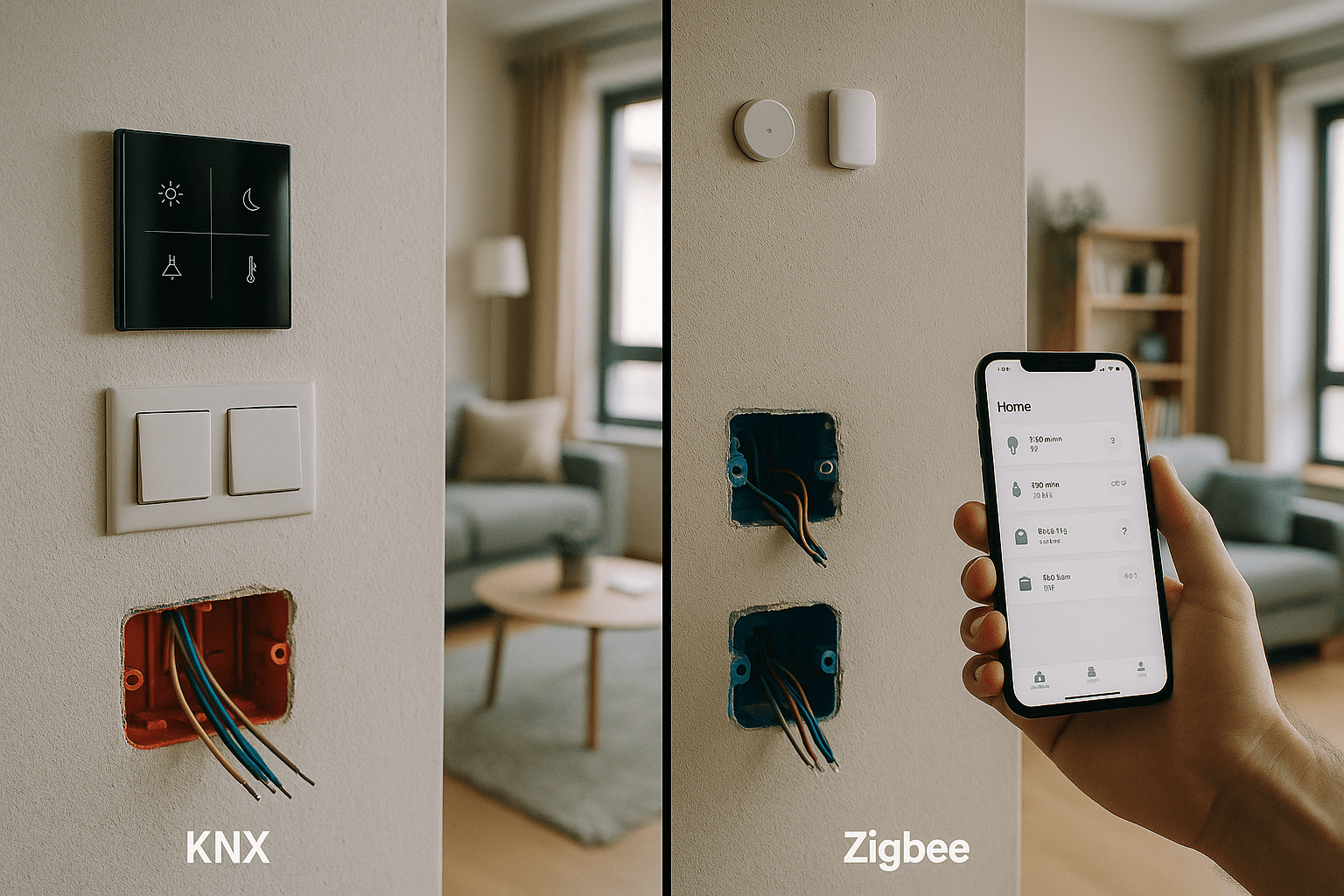
If you’re weighing up KNX vs Zigbee for your home, the answer won’t come from a spec sheet — it comes from what you experience when you press a switch, leave for the weekend, or have elderly relatives staying over. Both protocols automate your home. The experience, though, is quite different.
Let’s start with a plain-language overview of each system, then look at the concrete differences you’ll notice in daily life.
KNX and Zigbee: The Big Picture
KNX (ISO 14543) works like a structured wiring system. All devices — switches, actuators, sensors — communicate over a dedicated two-wire bus cable. Your wall switches look and feel completely normal, but every device on the network knows what the others are doing. The system is self-contained and does not rely on a cloud server or wireless signal.
For a deeper look at how KNX works as a system, see our KNX integration services overview.
Zigbee is a wireless protocol. Small sensors and smart devices communicate via radio (2.4 GHz) and connect to a central hub or gateway. You control everything from an app on your phone, or through voice assistants.
The core difference: KNX is like a fixed telephone network — stable, always on, every device has a permanent address. Zigbee is like a mobile network — flexible and wireless, but dependent on signal strength and batteries.
KNX vs Zigbee: What You Actually Notice Day to Day
Have you ever had your Wi-Fi drop and suddenly found you couldn’t control the lights? Zigbee can present a similar situation — if the hub has a problem, you lose smart control. With KNX, the switches continue working normally regardless of whether the central system is running.
Reliability
- KNX: Press the switch, the light responds instantly — just like a conventional installation, except every device knows what happened. If the central controller goes offline, the switches still work.
- Zigbee: You control via app or voice. If the hub or internet connection has issues, smart control is lost and you fall back to physical switches — if you have them.
Response Speed
- KNX: Under 50 milliseconds from command to action — effectively instant. You press the button, the light responds.
- Zigbee: Typically 200–500 milliseconds, sometimes longer on a busy network. There is a perceptible lag, especially when many devices are connected.
Maintenance
- KNX: Devices are powered from the bus — no batteries to replace. Once installed, the system runs for years with minimal intervention.
- Zigbee: Sensors typically need new batteries every one to two years. In a 70 m² flat with 15 sensors, that’s around 8 batteries a year to track and replace.
Ease of Use for Everyone in the House
- KNX: Guests and family members use standard wall switches — no explanation needed. Children and elderly relatives adapt immediately.
- Zigbee: Control is primarily through a smartphone app or voice commands. Visitors may need a walk-through, or app access, just to turn on a light.
For a broader comparison of smart home protocols, see our dedicated KNX vs Tuya vs Loxone comparison.
Real-World Examples
The differences between KNX and Zigbee show up most clearly in everyday scenarios. Here are two realistic project comparisons.
Two-bedroom flat — architect, works from home:
KNX setup: 12 capacitive switches, 8 actuators, zone climate control.
Approximate installed cost: €4,000–4,500
After one year: “I barely notice I have a smart home — it just works like a normal installation, but I can set up complex scenes whenever I want.”
Equivalent Zigbee setup:
Approximate cost: €1,500–2,000
After one year: “I change sensor batteries every six months or so, the hub occasionally locks up and needs a reset. When friends visit, I have to show them how to use the app to turn on the lights.”
180 m² family house — parents, two children, grandparents visiting regularly:
KNX setup: 45 control points, full automation.
After 18 months: “The grandparents use it perfectly — they just use the switches. The kids knew where everything was within a day. Not a single fault.”
Same house with Zigbee:
After 18 months: “We’ve replaced around 30 batteries, the hub failed once and had to be swapped out. The grandparents couldn’t manage the app, so we ended up adding conventional switches alongside it.”
For Professionals: Technical Considerations
For Architects
- KNX: Requires a dedicated 2×1.5 mm bus cable alongside the standard electrical wiring. Must be planned at design stage and included in the electrical drawings.
- Zigbee: No specialist cabling — can be added after completion. Good for retrofits, though wall-mounted sensors still need power.
Our KNX design and ETS programming service supports architects from concept through to commissioned installation across Europe.
For Electrical Contractors
- KNX: Structured wiring with actuators in the distribution board or integrated into switches. ETS programming is required for commissioning.
- Zigbee: Standard installation followed by wireless pairing. No additional cabling, but commissioning depends on the hub manufacturer’s app.
Scalability
- KNX: Up to 65,000 devices per installation, expandable with line couplers. The system grows organically as the building’s needs change.
- Zigbee: Hub-dependent — typically 50 to 200 devices per hub. Larger buildings require multiple hubs and careful coordination between them.
Diagnostics and Fault-Finding
- KNX: ETS software shows the live status of every device on the bus. Individual devices can be tested and diagnosed precisely.
- Zigbee: Depends on the hub manufacturer’s app. When a sensor stops responding, it is not always clear whether the issue is a flat battery, weak signal or a hub fault.
Which System Suits Which Home?
The right choice between KNX and Zigbee depends on your property type and how you live in it — not purely on budget.
KNX is the stronger choice if:
- You are building new or carrying out a full renovation — cabling can be planned in from the start
- You want long-term reliability (10+ years) with minimal ongoing maintenance
- The home is used by multiple people — family, guests, elderly relatives
- You need integrated automation across lighting, climate, blinds and security
- You prefer a higher upfront investment for a system that simply works
Zigbee suits better if:
- You are in a rented property or cannot modify the existing installation
- You want to experiment with smart home features gradually
- Your budget is tight upfront and you are comfortable with periodic maintenance
- You enjoy configuring and tinkering with tech systems
- App or voice control is your primary interface
Worth bearing in mind: KNX has been an ISO standard for over 25 years, with more than 500 certified manufacturers. Products from different brands work together seamlessly. Zigbee is a newer protocol (2003) with faster-moving version cycles, and real-world interoperability between brands can vary.
What Happens If Something Breaks?
With KNX, if a bus segment or actuator develops a fault, the switches continue working in conventional mode — you can still operate lights and loads manually. Repairs are point-specific and any KNX-certified replacement part from any manufacturer will work.
With Zigbee, if the hub fails, smart control is lost entirely. Switching to a hub from a different brand may require re-pairing every device on the network from scratch.
Are You Tied to One Supplier?
KNX is an open standard. Any qualified KNX integrator can work with the ETS software and use equipment from manufacturers such as ABB, MDT, Jung, Schneider Electric, Siemens and hundreds of others. If your original installer is no longer available, finding a replacement is straightforward.
Zigbee is theoretically open, but in practice each hub ecosystem has quirks. A Philips Hue sensor may not behave as expected on a Samsung SmartThings hub. You tend to become more tied to the ecosystem you started with.
Have more questions about how KNX works in practice? Our KNX FAQ covers the most common queries from homeowners and specifiers.
Which Costs Less Over Time?
Zigbee has a lower entry cost — typically 30–50% less than an equivalent KNX installation. But ongoing costs accumulate: batteries (€50–100 per year for a flat), hub replacement every three to five years (€200–400), and occasional device upgrades for compatibility with new firmware versions.
KNX has a higher upfront cost but near-zero ongoing maintenance expenditure. Over ten years the total cost of ownership becomes comparable. Over 15 years or more, KNX typically works out less expensive — and it adds measurable value to the property. A home with a full KNX installation is a stronger proposition on the market than one with battery-powered wireless sensors.
Choosing the Right System for Your Project
There is no single correct answer in the KNX vs Zigbee debate — but there is usually a better answer for your specific situation. The key variables are the type of property, how many people use it, whether cabling is possible, and what you want the system to do in five or ten years’ time.
If you would like an honest assessment of which approach fits your home or project, we are happy to help. Get in touch for a no-obligation consultation — we will look at your property, your priorities and your budget, and give you a clear recommendation, whether that is KNX, Zigbee, or a practical hybrid of both.